First-time orientation
Your first day with the eFit watch
Watch the three-minute video, then work down the checklist. Your progress is saved in this browser, so you can stop and come back.
0 of 9 steps done
Welcome to your eFit watch
In about ten minutes you will charge your watch, put it on, and connect it to your class. Tick each step as you go.
Charge it
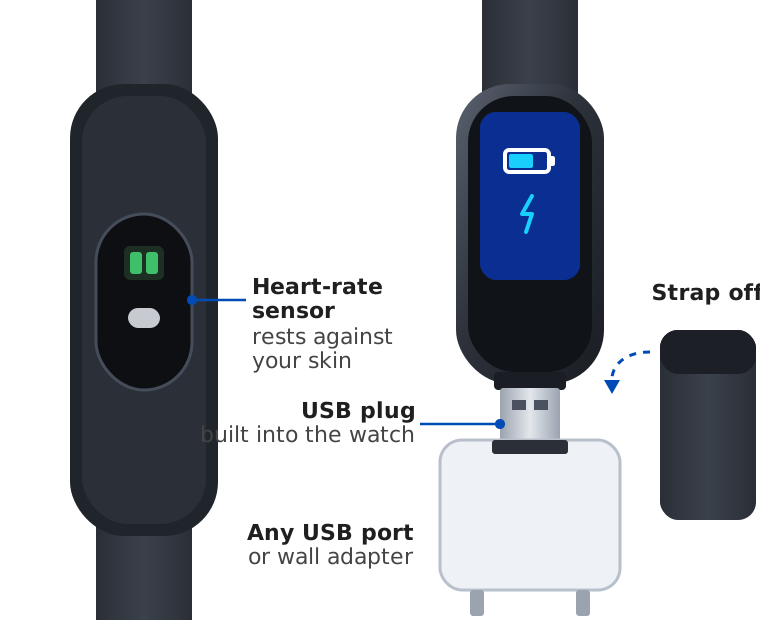
Pull the strap off one end to uncover the watch's USB plug, and plug it into a USB port or wall adapter. Charge until the battery is full, then slide the strap back on.
Put it on
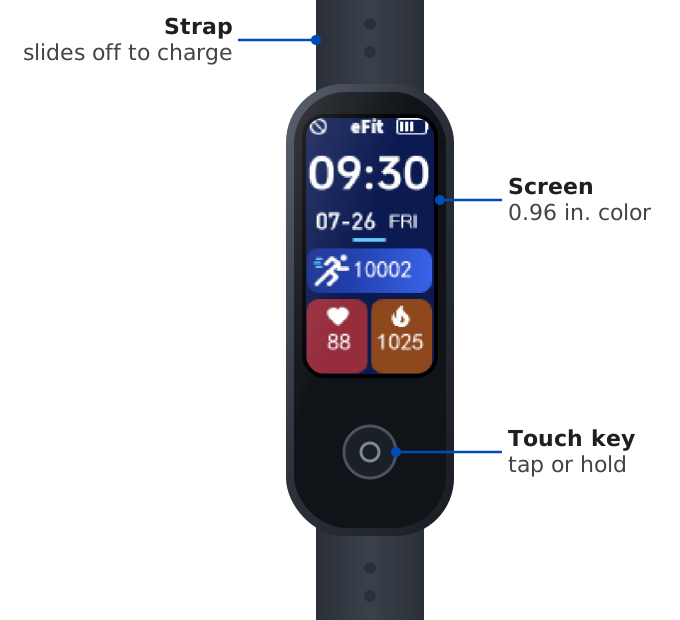
Wear it snug, one finger above your wrist bone, with the sensor against your skin. Raise your wrist or tap the touch key to wake the screen.
Install the eFit app
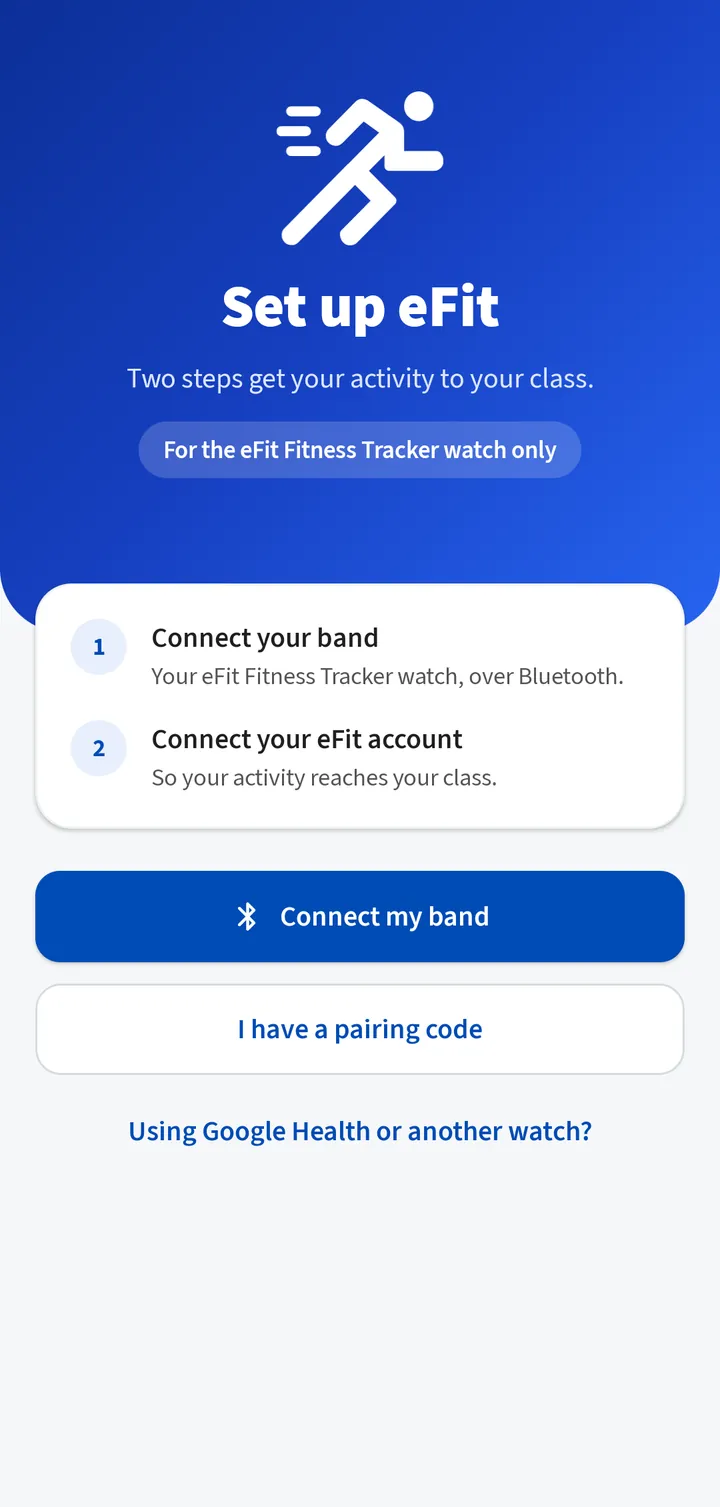
On your Android phone, search Google Play for eFit and install it. Open it to Set up eFit.
Connect your band
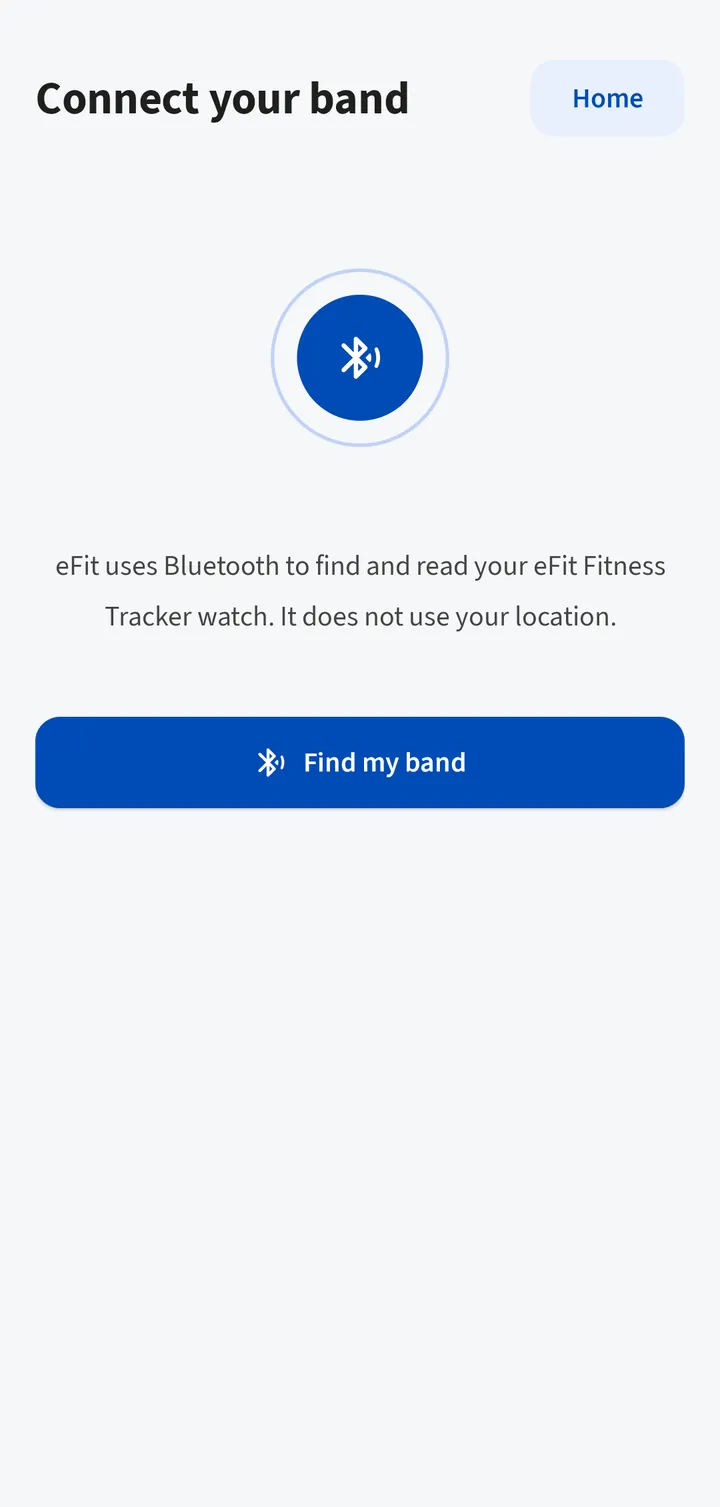
Tap Connect my band, then Find my band, and allow Nearby devices. Tap Connect next to eFit Fitness Tracker. Enter your height, weight, age and sex.
Get your pairing code
Tap Open efit.health and sign in with your eFit username and password, or do the same on a computer and open Fitness Tracker, then Connect the eFit app. Tap Get a pairing code. It works once for 10 minutes.
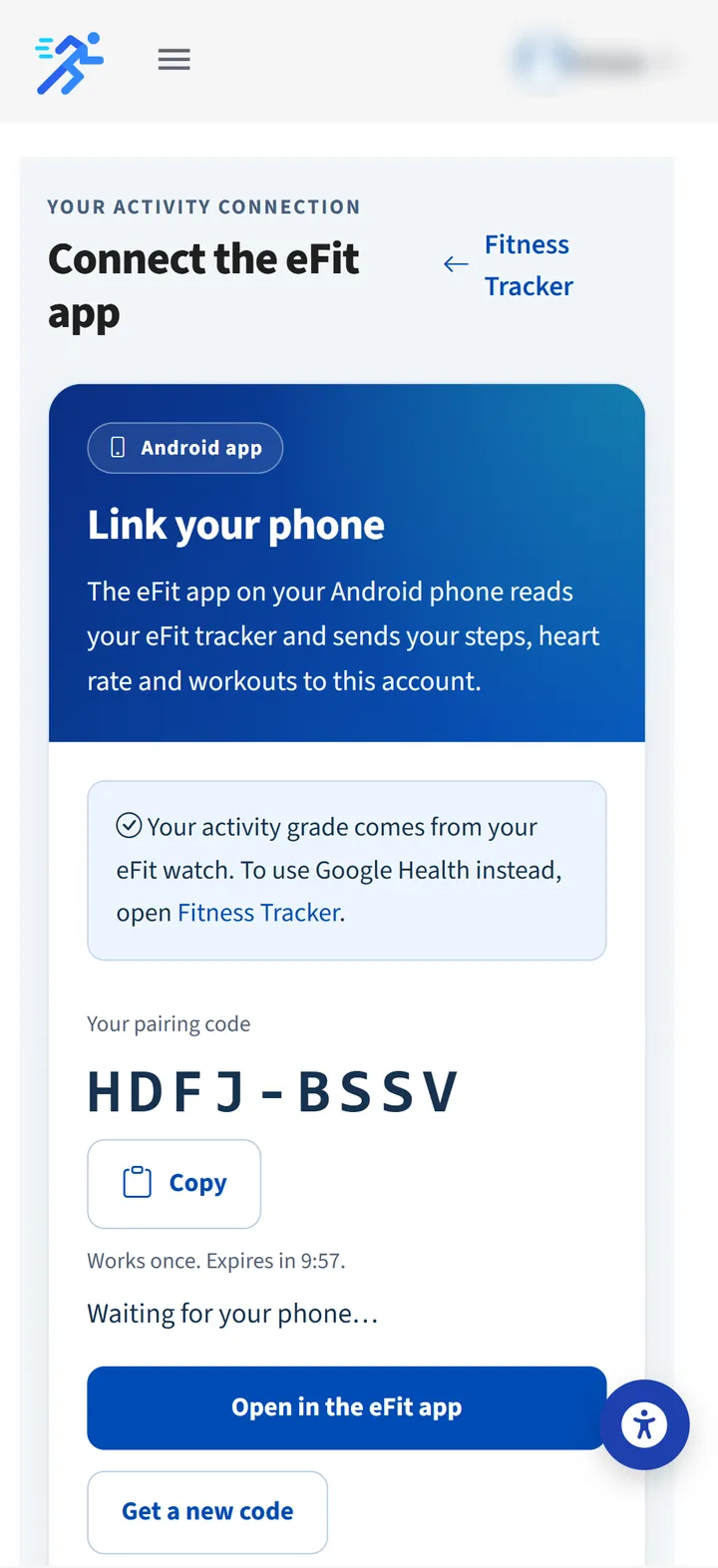
Connect your account
Tap Open in the eFit app, scan the QR code, or type the code and tap Connect. Check your name and tap That's me.
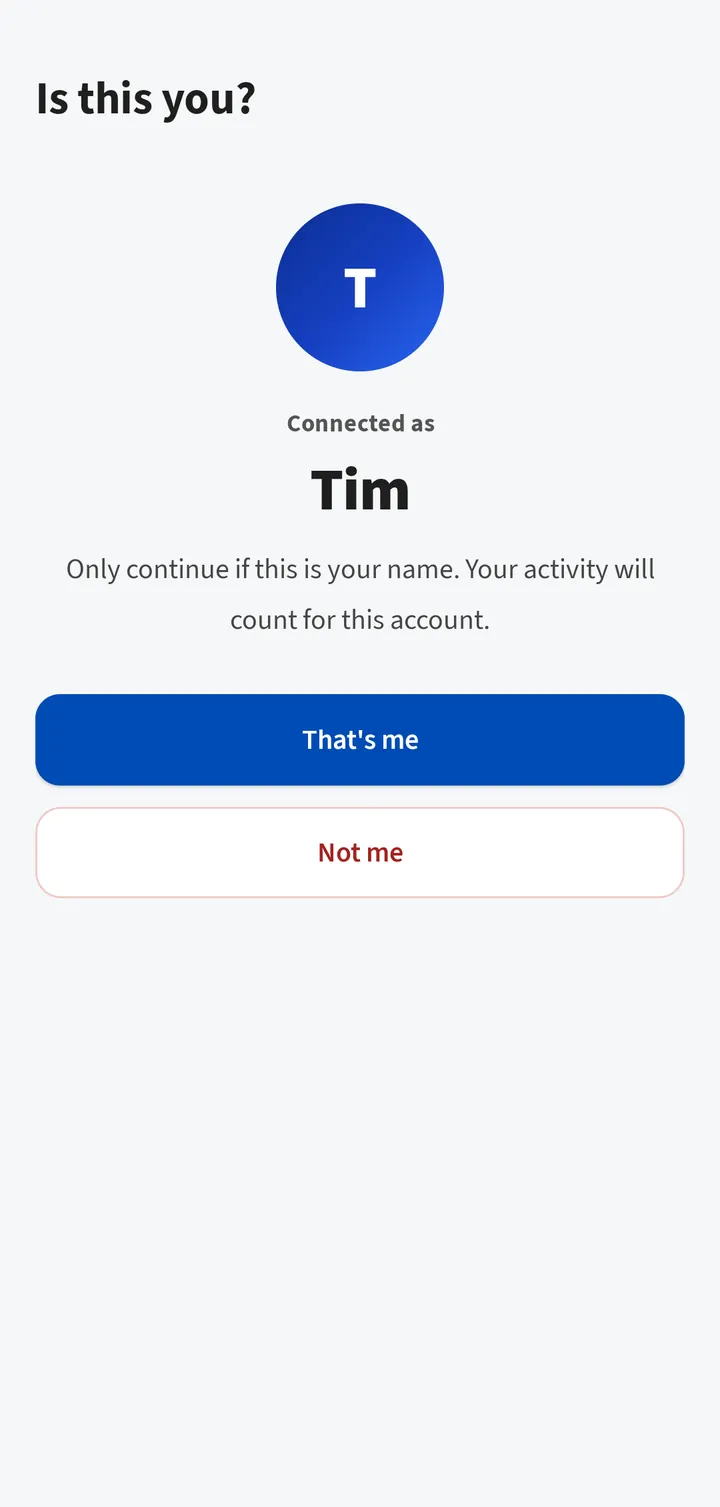
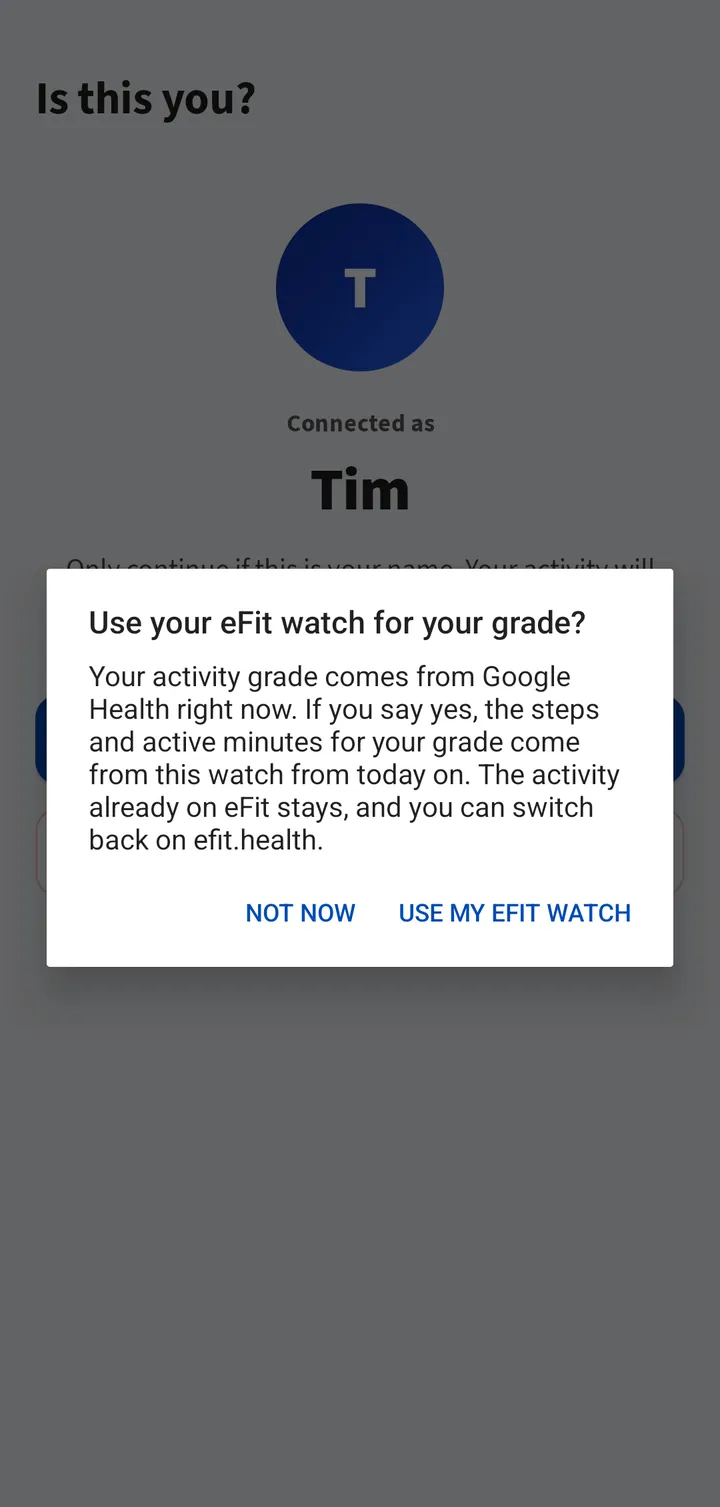
Use your watch for your grade
Tap Use my eFit watch so your steps and active minutes for your grade come from the watch from today on. You can switch back on efit.health.
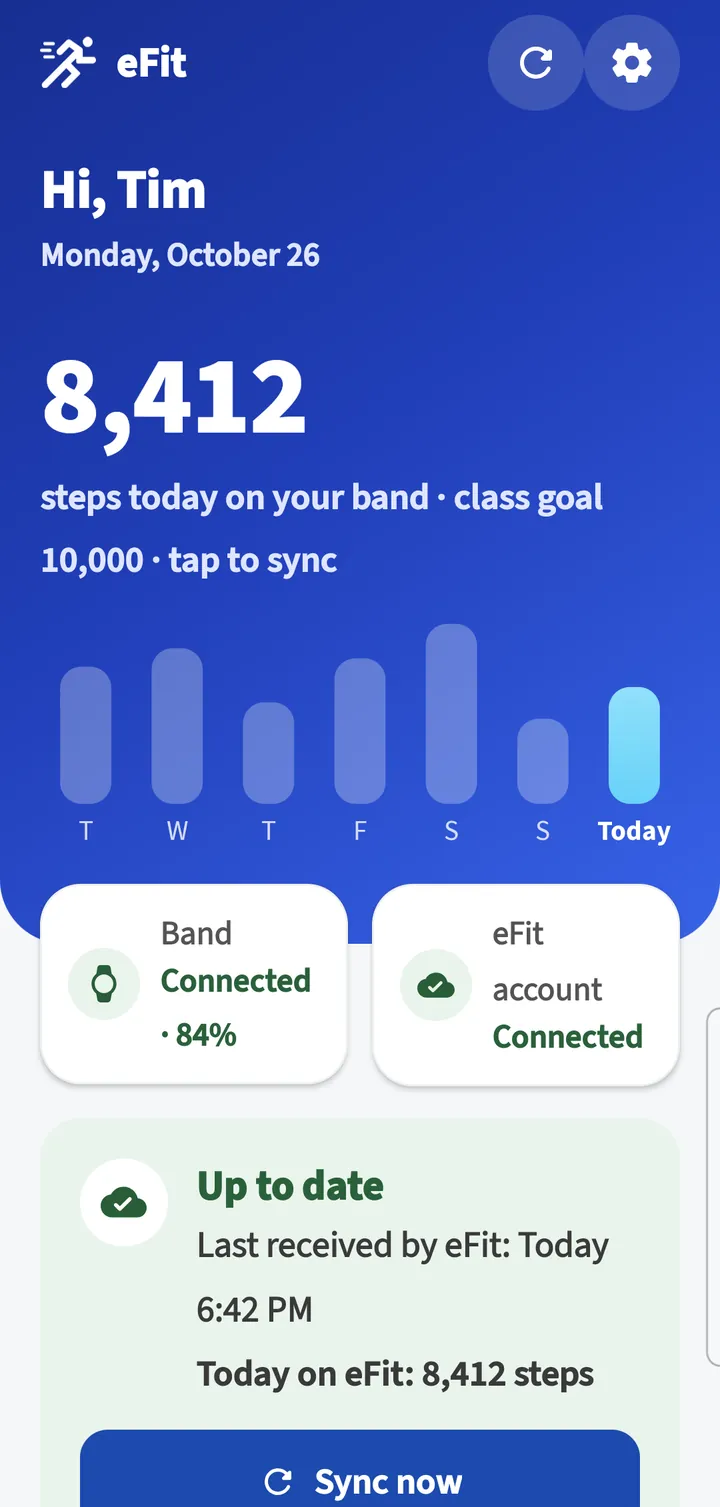
Learn Home
Home shows today's steps, your class goal and your week. The card below the tiles says Up to date when eFit has your latest activity. Tap the circular arrows to sync now.
Make it yours
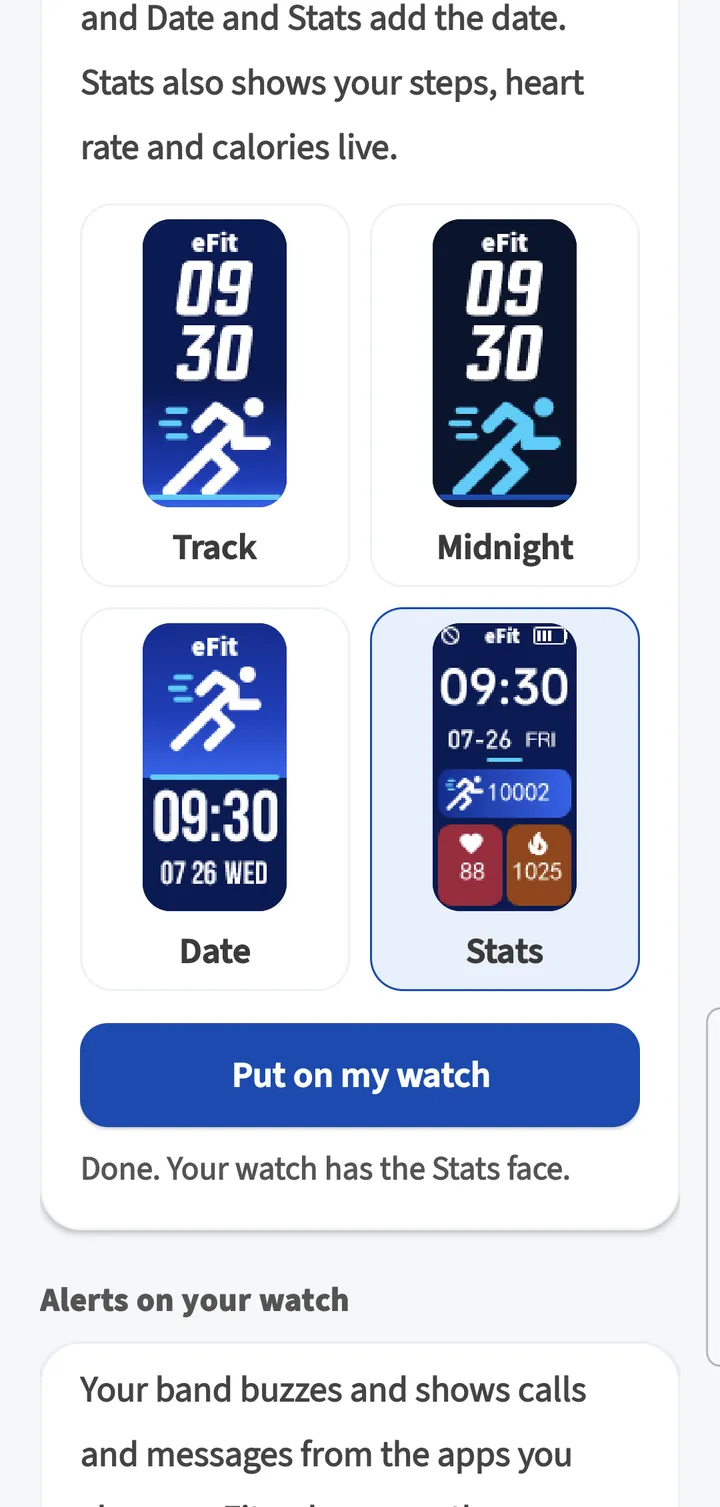
In Settings, pick a watch face and tap Put on my watch. Turn on calls and messages under Alerts on your watch if you want them.
You're all set
Wear your watch every day and open eFit with it nearby at least once a week. The watch keeps 7 days. Before a deadline, check that Home says Up to date.
Learn more in the manual
Video transcript
Welcome to your eFit Fitness Tracker watch. In the next few minutes you'll charge it, put it on, and connect it to your class.
First, charge it. Pull the strap off one end of the watch to uncover its USB plug, and plug the watch into any USB port or wall adapter. Charge it until the battery is full, then slide the strap back on.
Wear the watch snug, about one finger above your wrist bone, with the sensor touching your skin. Raise your wrist, or tap the touch key, to wake the screen.
On your Android phone, install the eFit app from Google Play and open it. Tap Connect my band.
Tap Find my band, and allow nearby devices when Android asks. Your watch shows up as eFit Fitness Tracker. Tap Connect, then enter your height, weight, and age.
Next, link the watch to your class. Sign in on efit.health with your username and password, open Connect the eFit app, and tap Get a pairing code. The code works once, for ten minutes.
Tap Open in the eFit app, or type the code into the app and tap Connect. Make sure it shows your name, then tap That's me.
The app asks whether to use your watch for your grade. Tap Use my eFit watch, so the steps and active minutes for your grade come from this watch from today on.
This is Home. It shows today's steps, your class goal, and your week. When the card says Up to date, eFit has your latest activity. Tap the circular arrows any time to sync.
In Settings, you can put an eFit watch face on your watch, and turn on calls and messages from the apps you choose.
That's it. Wear your watch every day, and open the app with the watch nearby at least once a week, because the watch keeps seven days. Before a deadline, check that Home says Up to date.